AI brand monitoring tracks how AI systems such as ChatGPT, Gemini, Perplexity and Google AI Overview talk about a brand. It answers four questions: are you named, how are you described, which sources does the AI rely on and who is named instead? Because answers vary, you need a fixed set of questions and repeated runs. You correct wrong details through the sources, not through the AI itself.
What is AI brand monitoring?
AI brand monitoring means systematically checking what AI assistants say about your business. That includes answers to direct questions about your brand as well as recommendations where your name could come up but does not.
It differs from classic brand monitoring, also called social listening. Social listening collects mentions in social networks, news, blogs and forums and rates their sentiment. AI brand monitoring looks at the result a customer actually sees in ChatGPT & Co. The two are connected: what is written about you online shapes what the AI says.
| Feature | Social listening | AI brand monitoring |
|---|---|---|
| What is tracked? | mentions in networks, news, forums | answers from AI assistants |
| Who is speaking? | people | the AI, based on many sources |
| Typical question | How are people talking about us? | What does a customer learn when asking the AI? |
| Lever | react and reply directly | improve the sources the AI draws on |
The four questions of AI brand monitoring
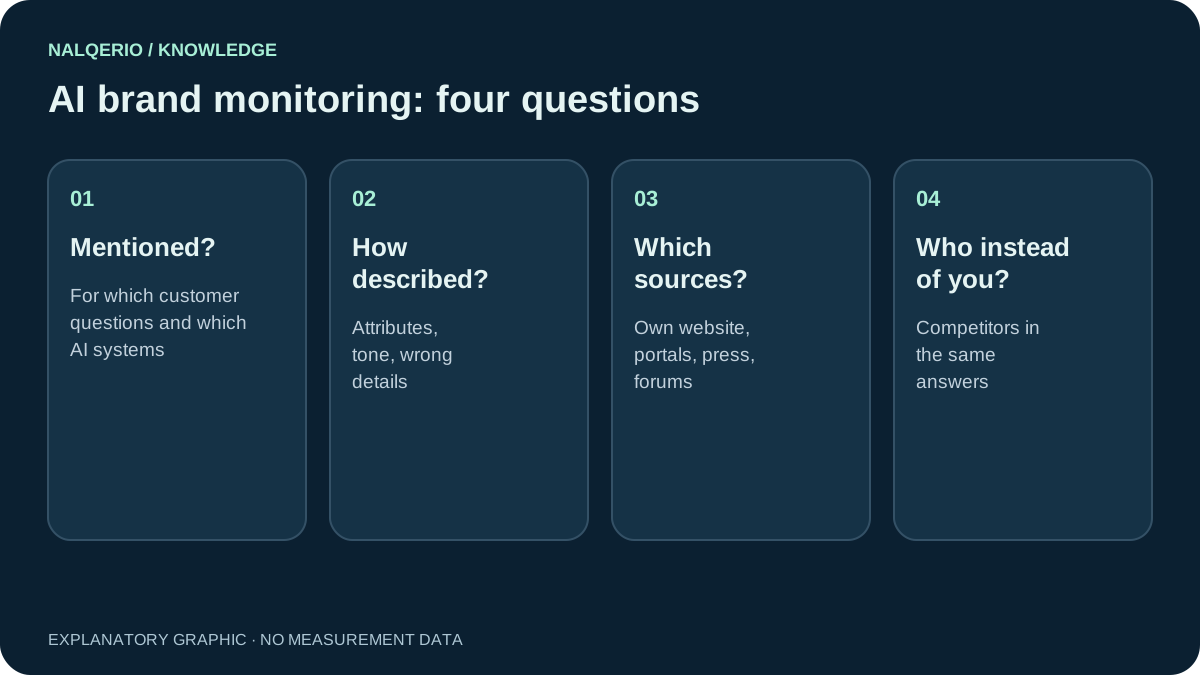
- Are you named? For which customer questions and in which AI systems does your name appear, and where not?
- How are you described? Which qualities does the AI mention, is the tone neutral, positive or critical, and are the facts right?
- Which sources does the AI rely on? Your website, review platforms, press, directories, forums? This is your biggest lever.
- Who is named instead of you? Which competitors appear in the same answers, and what does the AI highlight about them?
The first question covers visibility, the second reputation, the third the cause and the fourth the competition. Only together do they give a useful picture.

What does ChatGPT say about me? The self-test
You can get a first impression in ten minutes. Ask the following questions in ChatGPT, Gemini and Perplexity, each in a new chat and ideally signed out or with history turned off, so that earlier conversations do not influence the answer:
Brand question: “What do you know about [company] in [town]?”
Checks whether the AI knows you and which facts it gives. Watch for outdated addresses, wrong services and mix-ups with companies of the same name.
Trust question: “Is [company] trustworthy? What do customers say?”
Shows which review sources the AI knows and how it sums up sentiment.
Category question: “Which [provider] in [town] do you recommend?”
The most important question: are you named when a customer does not know your name yet? If not, who is named instead?
Comparison question: “[Company] or [competitor] – which is better for [need]?”
Shows which strengths and weaknesses the AI attributes to you in comparison.
Record the answers with the date and repeat the test a week later. You will notice that the answers change. In our web agency study, the same AI named only 35 percent of the agencies again one week later for the same question.
A prompt set for ongoing monitoring
For reliable tracking you need a fixed set of questions that you always ask the same way. A good mix to start with:
| Type | Number | Example |
|---|---|---|
| Category questions without a name | 6 | “Which accountant in Bristol specialises in doctors?” |
| Brand questions | 3 | “What does [company] offer and for whom?” |
| Trust questions | 2 | “What have customers experienced with [company]?” |
| Comparison questions | 1 | “[Company] or [competitor] for [need]?” |
Category questions matter most, because that is where new customers come from. You can create suitable wording with our free AI prompt generator. Keep questions with and without your name separate: if you only ask about your own brand, you will almost always be named and will overestimate your visibility.
The key metrics
Four numbers are enough for a monthly picture:
- Mention rate: for how many category questions are you named? Example: 3 of 12 questions, or 25 percent.
- Share among competitors: how often are you named relative to your competitors? Our share of voice guide explains the calculation.
- Factual accuracy: how many answers about your brand contain wrong or outdated details?
- Own website as a source: how often does the AI link to your own pages?
How to correct wrong details in AI answers
You cannot simply instruct an AI to say something different about you. The major providers do not offer a correction form for business details. Google also says that the same fundamentals apply to its AI features as to normal search. What works is going through the sources:
- Find the cause. Look at the sources of the answer. The wrong detail is often on an old subpage, in a directory or on a review platform.
- Fix it at the source. Update your own pages, change directory listings, redirect outdated pages.
- Publish the correct detail clearly. A clear “About us” page with services, location and founding year, plus matching Organization schema.
- Get confirmation from outside. Current mentions in trade media or associations help the correct version prevail.
- Give feedback. ChatGPT, Gemini and Google AI Overview offer rating buttons. They do not replace fixing the sources, but they do no harm.
Our guide to AI hallucinations covers this in more detail.
Running AI brand monitoring regularly
By hand, a prompt set of 12 questions in four AI systems quickly becomes an hour of work a week. That is fine for a start. To keep it going, you need a tool that asks the questions automatically, stores the original answers and shows changes.
That is exactly what Nalqerio is built for: your customer questions are measured in ChatGPT, Gemini, Perplexity and Google AI Overview. You see whether you are named, how the AI describes you, which sources it uses and which competitors appear instead, with history and a weekly report. The free AI check gives a first impression for ChatGPT in about a minute.
Frequently asked questions
What is AI brand monitoring?
Regularly checking what AI assistants such as ChatGPT, Gemini, Perplexity and Google AI Overview say about a brand: whether it is named, how it is described, which sources are used and which competitors appear instead.
How do I find out what ChatGPT says about me?
Ask in a new chat: “What do you know about [company] in [town]?” and also ask for a suitable provider without your name. Repeat this a week later, because answers change.
How does AI brand monitoring differ from social listening?
Social listening collects what people write about a brand. AI brand monitoring checks what the AI makes of it and tells a customer. The two are connected.
Can I get wrong details in ChatGPT corrected?
There is no correction form for business details. What works is fixing the wrong detail at its source and publishing the correct version clearly on your website and in external sources.
How often should I check my brand in AI answers?
For small businesses every two to four weeks is enough at first. Because answers vary a lot, regular repetition matters more than single detailed tests.
Sources and further reading
- Nalqerio study: Which web agencies do ChatGPT, Gemini and Perplexity recommend?
- OpenAI Help Center: Searching the web with ChatGPT
- Google Search Central: AI features and your website
- Nalqerio: free AI prompt generator
Methods, product scope and sources reflect the publication date shown. Examples are not measurements of your website. Linked product pages provide current plan and provider details.
