Clear content and a technically accessible website remain the foundation of GEO for WordPress. This guide uses a fictional service-page assignment to explain the process. It describes an editorial workflow, not a Nalqerio plugin or a guaranteed route into AI answers.
Step 1: decide which page owns the question
Choose an existing page that leaves an important question unanswered. Another blog post is not always needed. A product page, help article or service description may already be responsible for the answer.
Fictional example: a service page explains what a business should provide when requesting a maintenance appointment. The business and offer are invented. Use the example as a content planning aid, not as an instruction to copy unverified service claims.
Write down the main question, direct answer, necessary limits and appropriate next destinations. The content brief provides a template. Someone looking for GEO for WordPress often needs this practical implementation path rather than unsupported plugin promises.
Step 2: edit the title, direct answer and headings
Open the responsible page under Pages in WordPress, or create one if it has a distinct job. The official page creation guide explains the basic controls. Labels and available features vary with version, language, theme and extensions.
The title names the task. A concise direct answer comes first, followed by useful subheadings. In the fictional maintenance example, “Information to include in the request” belongs separately from “What the request does not confirm”. A service limitation should not be hidden after a long promotional introduction.
Use the Heading block for the structure. Check whether the theme already outputs the page title as an H1. Choose heading levels by their role rather than their visual size. The content chunking guide shows how to make each section understandable.
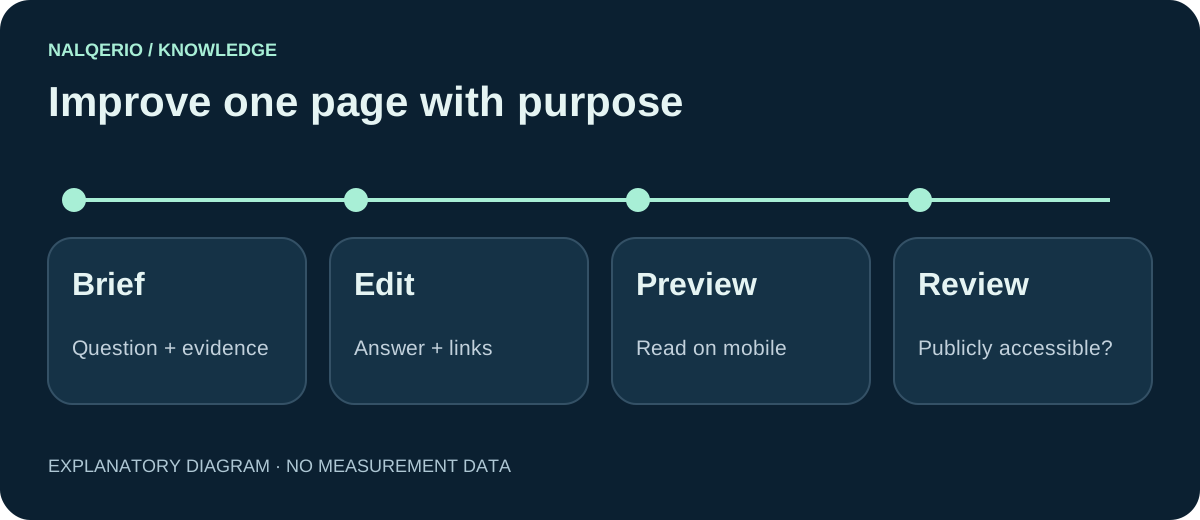
Step 3: add relevant links and checked facts
Link onward where an actual follow-up question arises. In the example, that might be the verified service scope or the appropriate contact page. Linking every keyword to something makes the page harder to read. The anchor should describe what the destination offers.
Check company names, responsibilities, contact details and service restrictions. External references must support the particular claim. Review image rights and alternative text too. An original explanatory graphic may show a process; it should not pretend to be an interface feature that does not exist.
If you use structured data, first inspect what the theme and existing extensions already output. Another plugin can introduce duplicated or conflicting statements. The schema markup guide explains the content review. A schema type cannot make an inaccurate statement true.
Step 4: review the preview and indexability separately
Read the preview on a small screen. Check headings, tables, images and links. Can the visitor find the essential answer without hunting through fine print? A neat editor view is not sufficient evidence.
Before publishing publicly, check the page status, password protection, HTTP response, canonical, robots directives and sitemap. WordPress has a setting under Settings → Reading to discourage search engines from indexing the site. SEO extensions may add page-level controls. A private testing site should remain private or excluded from indexing.
Do not remove a site-wide restriction without checking why it was set. For a page intended to be public, inspect the actual delivered response rather than relying only on a checkbox. IndexNow for WordPress explains notifying supporting search engines about public changes. Notification is not an indexing guarantee.
Step 5: inspect outcomes outside the editor
After an actual publication, record the URL, change and date. Recheck the accessible page. Crawling, inclusion in an index and visibility for a query are different outcomes.
AI observations also need a documented question set. Ask a concrete question about the offer and its prerequisites, then review the original response and available sources. Changing the question, language and provider simultaneously does not give you a clean comparison of a content update.
Nalqerio is not a WordPress plugin and this workflow requires no direct WordPress integration. It organises selected authorised API responses and available sources. The measurement guide explains the scope; the product tour shows the actual interface.
Improve one page before rebuilding everything
Begin with a single page. Document the missing answer, add verified information and read the result outside the editor. Keep a previous version so that an unsuitable change can be reversed.
Then choose the next concrete issue: an omitted restriction, an unclear link or inconsistent company information. Use the content audit to prioritise. For an initial API observation of your own offer, check the current conditions of the trial.
Frequently asked questions
Do I need a special GEO plugin for WordPress?
A plugin may support specific technical tasks. It cannot replace a useful answer or a fact review. Check existing features before adding conflicting outputs.
Is Nalqerio a WordPress plugin?
No. This guide describes an editorial workflow for a WordPress website. Nalqerio documents selected authorised API responses and available sources.
Will AI recommend the page after these steps?
That is not guaranteed. These steps improve clarity and check technical prerequisites. Indexing, rankings and AI mentions must be observed separately afterwards.
Sources and further reading
- WordPress: Create pages
- WordPress: Heading block
- Google Search Central: AI features and your website
- Nalqerio: methodology
Methods, product scope and sources reflect the publication date shown. Examples are not measurements of your website. Linked product pages provide current plan and provider details.
